NVR Storage Needed by Camera Count
Sixteen 4MP cameras recording continuously in H.265 need about 16.72 TB of usable capacity for 30 days of retention; the same count at 8MP/4K roughly doubles that to 33.45 TB. These figures assume the typical bitrates on this site's bitrate chart and a 93% usable fraction of a drive's marketed decimal-TB capacity, both industry convention rather than fixed standards.
NVR storage sizing comes down to three multiplied-together numbers: how many cameras, how many hours a day they record, and how many bits per second each one writes. None of those three is fixed by a standard, which is why this page labels its figures as convention and shows the assumptions plainly rather than presenting a single "right" answer.
Two adjustments matter more than they first appear. First, drives are sold in decimal terabytes (1 TB = 1,000,000 MB) while an NVR reserves space for its own database and overwrite headroom, so this site uses 93% of the marketed capacity as the realistic usable figure. Second, continuous 24-hour recording uses far more storage than motion-only or event-based recording, and the tables below assume continuous unless stated otherwise.
| Cameras | 4MP H.265 (3 Mbps) | 4MP H.264 (6 Mbps) | 8MP/4K H.265 (6 Mbps) | 8MP/4K H.264 (12 Mbps) |
|---|---|---|---|---|
| 1 | 1.05 TB | 2.09 TB | 2.09 TB | 4.18 TB |
| 2 | 2.09 TB | 4.18 TB | 4.18 TB | 8.36 TB |
| 4 | 4.18 TB | 8.36 TB | 8.36 TB | 16.72 TB |
| 8 | 8.36 TB | 16.72 TB | 16.72 TB | 33.45 TB |
| 16 | 16.72 TB | 33.45 TB | 33.45 TB | 66.89 TB |
| Cameras | 4TB, 4MP H.265 | 8TB, 4MP H.265 | 4TB, 8MP/4K H.265 | 8TB, 8MP/4K H.265 |
|---|---|---|---|---|
| 1 | 114.8 days | 229.6 days | 57.4 days | 114.8 days |
| 2 | 57.4 days | 114.8 days | 28.7 days | 57.4 days |
| 4 | 28.7 days | 57.4 days | 14.4 days | 28.7 days |
| 8 | 14.4 days | 28.7 days | 7.2 days | 14.4 days |
| 16 | 7.2 days | 14.4 days | 3.6 days | 7.2 days |
| Cameras | 14 days (minimum convention) | 30 days (comfortable convention) |
|---|---|---|
| 4 | 1.95 TB | 4.18 TB |
| 8 | 3.90 TB | 8.36 TB |
| 16 | 7.80 TB | 16.72 TB |
Why 14 days and 30 days as the retention targets?
Fourteen days is a convention that covers a household away for a week or two without anyone reviewing or exporting footage in that time. Thirty days is a convention that matches the window most insurance claims and police requests for footage fall within. Neither is a legal requirement for a private home, and a household with different needs, such as a longer vacation pattern, should size around its own actual review habits instead.
How much does motion-only recording reduce storage need?
Motion-only or smart-detection recording only writes video when the camera's detection triggers, rather than 24 hours a day, so the effective hours-per-day figure in the underlying calculation drops well below 24. The actual reduction depends heavily on the specific location. A quiet backyard corner might record only 1 to 2 active hours a day, cutting storage need by more than 90%, while a busy street-facing camera in a high-traffic area may see much less of a reduction.
Why does 8MP/4K H.265 need the same storage as 4MP H.264?
Because H.265 compresses roughly twice as efficiently as H.264 at the same resolution, and 8MP has roughly twice the pixel count of 4MP, the two effects cancel out: 8MP/4K on H.265 (6 Mbps) and 4MP on H.264 (6 Mbps) land on the same typical bitrate and therefore the same storage requirement, even though one delivers noticeably more image detail than the other for the identical drive cost.
The gear that matches this answer

Seagate Skyhawk 4TB Video Internal Hard Drive
$159.99Rated for continuous write from multiple camera streams, which is the entire difference between a surveillance drive and the cheaper desktop drive beside it.
- Capacity
- 4 TB
Prices change often.

Western Digital 4TB WD Purple Surveillance Internal Hard Drive, 256 MB Cache
$189.99The direct WD equivalent of the Skyhawk, with a larger cache that helps when many streams are writing at once.
- Capacity
- 4 TB
Prices change often.

Seagate Skyhawk 8TB Video Internal Hard Drive
$309.99Doubling the drive doubles the retention, and retention is the specification people regret after the one event they needed it for.
- Capacity
- 8 TB
Prices change often.
Western Digital 8TB WD Purple Surveillance Internal Hard Drive, 256 MB Cache
$354.99Eight terabytes of surveillance rated storage, the usual pairing with a sixteen channel recorder.
- Capacity
- 8 TB
Prices change often.

REOLINK RLN8-410 8CH NVR Network Video Recorder PoE
$349.99Eight PoE ports built into the recorder, so the cameras get power and data from the same box and there is no separate switch to budget.
- Channels
- 8
- PoE ports
- 8
Prices change often.
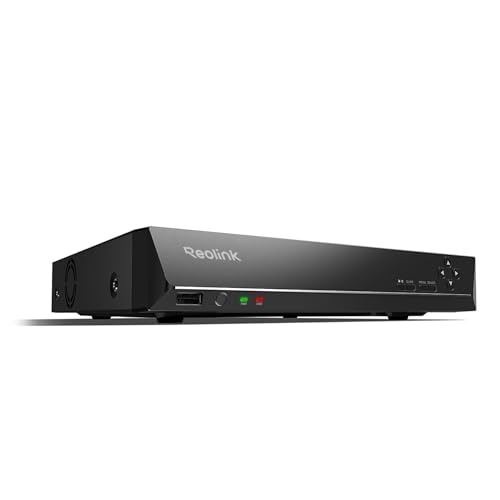
REOLINK RLN16-410 16CH NVR Network Video Recorder PoE
$459.99Sixteen channels for a property that has outgrown eight, and the usual reason to buy one is a detached garage or a second building.
- Channels
- 16
Prices change often.
Common questions
How many cameras can one 8TB drive support for 30 days?
At the typical 4MP H.265 bitrate used on this page, about 7 to 8 cameras recording continuously for 30 days fits within 8TB of usable capacity, since 8 cameras need roughly 8.36 TB. At 8MP/4K H.265, that drops to about 4 cameras for the same 30-day target, since 4 cameras at that resolution need roughly 8.36 TB as well. Motion-only recording would allow noticeably more cameras on the same drive.
Why do NVR drives never show their full marketed capacity as usable?
Two separate effects combine. Drive manufacturers market capacity in decimal terabytes (1 TB = 1,000,000,000,000 bytes), which is a smaller number of actual bytes than the binary terabyte some operating systems display, and separately, the NVR itself reserves space for its recording database, thumbnails, and overwrite headroom. This site uses 93% of the marketed decimal-TB figure as a realistic usable planning number to account for both effects together.
Should I buy a bigger drive than my 30-day target to be safe?
Some headroom is reasonable, since actual bitrate on a normal camera regularly exceeds the typical figure during high-motion periods, holidays with more foot traffic, or seasons with more wind and rain triggering motion. A common approach is to size to the typical bitrate for the target retention, then add 10 to 20% headroom on top rather than doubling the estimate, similar to the headroom convention used for PoE switch budgets.
Do NVR-specific hard drives actually matter versus a regular desktop drive?
Surveillance-rated drives are built and firmware-tuned for continuous, always-on write workloads with many simultaneous streams, which is a different duty cycle than a desktop drive designed for intermittent use. Manufacturers publish workload ratings and warranty terms specific to surveillance use for these drives; a standard desktop drive run continuously in an NVR is more likely to fail earlier, though this site does not have independent failure-rate data to quantify that difference.
How does adding more cameras later affect an existing NVR storage plan?
Storage need scales linearly with camera count at a fixed resolution and retention target, so doubling from 8 to 16 cameras roughly doubles the TB needed, for example from about 8.36 TB to about 16.72 TB at 4MP H.265 for 30 days. Anyone planning to add cameras later should size the initial drive or drive array with that future camera count in mind, since most NVRs cannot simply add a second independent drive without reconfiguring the storage pool.
Get the system planning sheet
The camera count, storage and PoE budget worksheet, plus the wiring checklist, as one printable page.
Keep going
Before you point a camera at anything. Aim cameras at your own property and your own boundary, never into a neighbour's windows or across their garden. Cameras in bedrooms, bathrooms, or anywhere else a person reasonably expects privacy are a serious legal problem, and that includes guests, lodgers and anyone who works in your home. Audio is legally different from video, many US states require the consent of every party to a recorded conversation, and several recorders capture audio by default, so check your own state before you enable it. Some places require visible notice that recording is taking place, and landlords and homeowner associations often impose their own rules on top. This is researched general information and not legal advice, and the law varies by state and by country.
And once it is installed. Change every default password, keep the firmware updated, and be clear with yourself about where the footage goes: a cloud camera means a third party holds recordings of your home, while a local recorder keeps them in your house. That is a genuine buying consideration, not a technicality.