Best Video Doorbells
The Ring Wired Doorbell 2K is the pick for most homes at $79.99: it takes power from existing doorbell wiring, so there is no battery to recharge, and its 2K sensor resolves noticeably more facial detail than the 1080p base model at typical porch distance.
A video doorbell earns its keep at the single busiest camera position on a house, the point where a parcel, a stranger, or a returning family member passes almost every day. Renters, buyers stringing new cable, and owners replacing a broken chime all land at the same short list of choices.
Two decisions matter more than the brand: whether the unit is wired or battery, and whether footage lives in a cloud plan or on a card the owner controls. Both change what a doorbell actually costs over five years and who can see the video it records.
| Model | Resolution | Power | Storage |
|---|---|---|---|
| Ring Video Doorbell Wired | 1080p | Hardwired | Cloud, subscription for history |
| Ring Wired Doorbell 2K | 2K | Hardwired | Cloud, subscription for history |
| Ring Wired Doorbell 4K Pro | 4K | Hardwired | Cloud, subscription for history |
| Tapo D225 | 2K | Wired or battery | microSD |
| WYZE Doorbell v2 | 2K | Hardwired | microSD |
| Arlo Video Doorbell 2K | 2K | Wired or wireless | Cloud, subscription for history |
| Blink Wired Doorbell 2K Plus | 2K | Hardwired | Local, continuous |
| Kasa KD110 | 2K | Hardwired | microSD |
Does a video doorbell need a subscription to be useful?
Most doorbells here, including every Ring and Arlo model, ship a live view and a doorbell press notification with no plan attached. What a plan buys is recorded history: clips of who came by while a homeowner was out. Skip the subscription and a Ring or Arlo doorbell becomes closer to a live peephole than a recorder.
Three doorbells sidestep this by writing to a microSD card inside the unit: the Tapo D225, the WYZE Doorbell v2, and the Kasa KD110. A one time card purchase replaces years of a monthly fee, at the cost of losing footage if the card or the doorbell itself is stolen.
- A stolen microSD card and a stolen camera body both erase local footage, while a cloud plan survives theft of the hardware itself.
1080p, 2K, or 4K: what actually changes at the door?
A 1080p sensor is about 1920 pixels wide. The 4K sensor on the Ring Pro doorbell is about 3840 pixels wide, four times the horizontal pixel count of 1080p. A 2K sensor sits meaningfully between the two without matching either exactly, since makers use the label inconsistently across product lines.
The DORI standard used to rate surveillance cameras, EN 62676-4, sets identification at roughly 250 pixels per meter of scene. A 1080p doorbell clears that bar easily at arm's length but falls off fast past the width of a porch, which is why the 4K Ring Pro is the only doorbell here built to identify someone at the far edge of a driveway rather than only right at the door.
Beginner pick
The Ring Video Doorbell Wired is the cheapest route into a working doorbell camera for a house that already has doorbell wiring: no battery to charge, no separate chime purchase, and a 1080p sensor that is entirely adequate at arm's length, which is the distance most doorbell footage actually covers.
Intermediate pick
The Ring Wired Doorbell 2K is the step up worth paying for: the same wired install with a sharper sensor, which turns a package left at the door from a shape into something legible.
Expert pick
The Ring Wired Doorbell 4K Pro is the only doorbell here built to identify a face at the edge of a wide porch or driveway rather than only at the door itself, with up to 10x enhanced zoom layered on top of the base 4K sensor.
How we chose these video doorbells
These picks come from published manufacturer specifications and verified owner reviews on each product's own listing, not from installing every doorbell on a door ourselves. We have not run a side by side test of these units and never claim hands on trial time we did not put in. Where a spec was not published, such as an exact DORI distance, we said so rather than estimate one.
We excluded the wide field of unbranded doorbell cameras that share a handful of factories and carry no visible firmware support path. A doorbell that stops receiving security patches is a worse long term outcome than a slightly more expensive one from a maker that keeps shipping updates.
The video doorbells we compared

Ring Video Doorbell Wired, HD Doorbell Camera with Two-Way Talk
$49.99The cheapest route to a doorbell camera, and it takes power from existing doorbell wiring so there is no battery to recharge.
Check first:Recording history requires a subscription.
Check price on AmazonPrices change often.
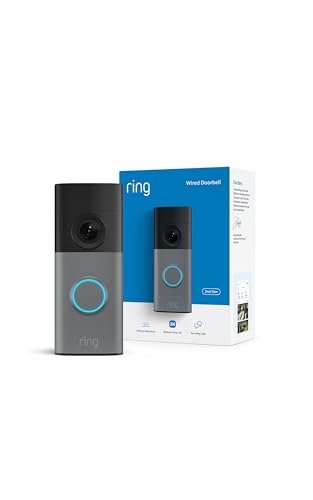
Ring Wired Doorbell 2K with Wide-Angle Video
$79.99Twice the vertical detail of the 1080p model, which at doorbell distance is the difference between seeing a face and recognising one.
Check price on AmazonPrices change often.

Ring Wired Doorbell 4K Pro with Wide-Angle Video
$249.99Four times the pixels of the 1080p doorbell, which is the only doorbell here that reaches identification standard at the far edge of a porch.
Check price on AmazonPrices change often.

Tapo 2K Wired or Battery Powered Smart Video Doorbell with Chime, D225
$89.99Takes a microSD card, so it records without a subscription, which over five years is the larger number by far.
- Storage
- microSD
Prices change often.

WYZE Wired Doorbell Camera v2, 2K HD
$59.98A 2K sensor at the price most makers charge for 1080p, and it records locally to a card.
- Storage
- microSD
Prices change often.

Arlo Video Doorbell 2K, Wireless or Wired
$49.99A square aspect ratio that shows a whole person and a parcel on the step at once, which a conventional widescreen doorbell crops off.
Check price on AmazonPrices change often.

Blink Wired Doorbell 2K Plus, Head-to-Toe 2K Video Doorbell
$49.99Continuous local recording at 2K for under fifty dollars, which is unusual at this price.
Check price on AmazonPrices change often.
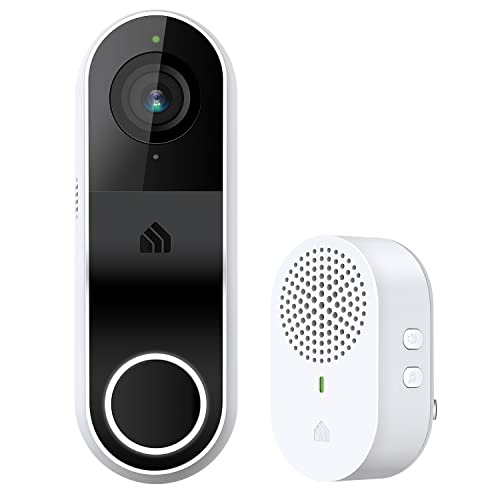
Kasa 2K Smart Video Doorbell Camera Hardwired with Chime, KD110
$44.99Local card storage and a bundled indoor chime, so nothing else needs buying to finish the job.
- Storage
- microSD
Prices change often.
Common questions
Do I need a subscription for a Ring or Arlo video doorbell?
No subscription is required to get a live view or a notification when the button is pressed. A paid plan is what adds recorded history, the clips of visitors who came by while no one was watching live. Skip the plan and a Ring or Arlo doorbell works closer to a live peephole with no memory of what happened after the fact.
Can a battery doorbell replace a wired one?
Some doorbells here, like the Tapo D225 and Arlo 2K, run on either power source. Battery removes the wiring requirement but adds a recharge cycle every few months and typically a lower resolution ceiling, since bigger sensors draw more power. A wired doorbell with existing chime wiring has no battery to maintain at all.
Is a 4K doorbell worth the price over 2K?
Only if identifying a face at the edge of a wide porch or driveway matters, rather than just at the door itself. At arm's length, 2K already resolves a face clearly. The jump to 4K pays off mainly through its extra zoom range and its ability to hold identification detail further from the lens than a 2K sensor can.
Does a doorbell camera record audio, and is that a legal issue?
Yes, every doorbell on this list records audio along with video. Audio recording consent rules vary by state, and several require consent from all parties to a conversation, not just one. Check the rules where the property sits before treating two way audio as a default rather than assuming video-only rules apply to it.
Who can see footage from a cloud connected doorbell?
Footage from a Ring, Arlo, or Blink doorbell is stored on that company's servers, not on hardware in the house. That is a real privacy tradeoff: a third party holds recordings of a home's front door. The three doorbells here that write to a local microSD card keep that footage under the owner's control instead.
Get the system planning sheet
The camera count, storage and PoE budget worksheet, plus the wiring checklist, as one printable page.
Keep going
Before you point a camera at anything. Aim cameras at your own property and your own boundary, never into a neighbour's windows or across their garden. Cameras in bedrooms, bathrooms, or anywhere else a person reasonably expects privacy are a serious legal problem, and that includes guests, lodgers and anyone who works in your home. Audio is legally different from video, many US states require the consent of every party to a recorded conversation, and several recorders capture audio by default, so check your own state before you enable it. Some places require visible notice that recording is taking place, and landlords and homeowner associations often impose their own rules on top. This is researched general information and not legal advice, and the law varies by state and by country.
And once it is installed. Change every default password, keep the firmware updated, and be clear with yourself about where the footage goes: a cloud camera means a third party holds recordings of your home, while a local recorder keeps them in your house. That is a genuine buying consideration, not a technicality.