Security Camera Maintenance Checklist
A working camera system still needs a seasonal check: wipe lenses and housings, confirm recordings actually play back rather than just checking the live view, verify the PoE budget still covers every camera's current class, and test the UPS under real load rather than assuming it still holds a charge.
A camera system that is working today can still be quietly failing in ways nobody notices until the footage is needed and is not there. A live view that looks fine tells someone almost nothing about whether the recorder is actually saving usable footage, whether the PoE switch still has spare budget for what is plugged into it, or whether the UPS sitting in the closet would actually carry the system through an outage.
None of the checks below require special skill, and most take a few minutes. The point is regularity: a system checked once a year catches problems while they are still cheap to fix.
| Task | How often | What to use |
|---|---|---|
| Wipe lenses and housings | Every season | Microfiber cloth, no harsh solvents |
| Confirm recorded footage actually plays back | Monthly | NVR playback, not the live view |
| Verify PoE budget against current cameras and classes | Yearly, and after any new camera | PoE power budget calculator |
| Re-test cable runs and connectors | Yearly | A proper cable tester |
| Test the UPS under real load | Yearly | UPS runtime calculator plus a live test |
| Check for firmware updates | Every season | Camera app, NVR menu, switch admin page |
A seasonal walk-around
Cobwebs, dust, water spots and pollen build up on lenses and housings over a season and quietly degrade image quality, including night vision performance, well before anyone notices in the live view. Wipe each housing and lens with a microfiber cloth on a seasonal basis, and check that no mounting hardware has loosened or that a housing has not been knocked out of its aimed position.
Test the recording, not just the live view
The single most important maintenance check is also the most skipped: pull up actual recorded footage from several days back, on more than one camera, and confirm it plays back cleanly. A camera can show a perfect live view while its recording channel is silently failing due to a full or failing drive, a misconfigured schedule, or a corrupted database, and the only way to catch that is to actually check the recording, not the live feed.
While checking playback, confirm the system is actually meeting its retention target rather than assuming it is. A target of fourteen days covers a holiday week away; thirty days is the more common window insurers and police tend to ask for.
Verify the PoE budget still covers what is plugged in
Every camera added to an existing switch after the original install, and every camera whose heater or IR load changes with the season, changes the actual power budget the switch needs to carry. Recheck the switch's spare budget against the current camera count and their classes at least once a year, and again any time a camera is added.
Check cable runs and connectors annually
A run that passed its initial test can still develop a problem over a year of thermal cycling and, for outdoor runs, UV and moisture exposure. Re-test outdoor and long indoor runs annually with a proper cable tester rather than assuming a connection that worked at installation still meets spec a year or two later.
Test the UPS, do not assume it still works
A UPS sitting untouched for a year can have a battery that has quietly degraded well below its rated capacity; lead-acid batteries in particular lose meaningful capacity over a few years even without ever being deeply discharged. Test it under the system's actual load at least once a year by unplugging the wall input briefly and confirming it carries the load, rather than trusting a battery that has never actually been asked to perform.
Update firmware on cameras, the NVR and the switch
Firmware updates on any device in the chain, the cameras themselves, the recorder, and the PoE switch, often carry real fixes for connection stability and security vulnerabilities. Check for pending updates on the same seasonal schedule as the physical inspection, since none of them apply themselves.
A one-page maintenance schedule
Put the checks on a fixed schedule rather than relying on memory. The table below is a reasonable starting cadence for a typical home system; a system in a harsher climate or with more cameras can reasonably do these more often.
The gear that matches this answer
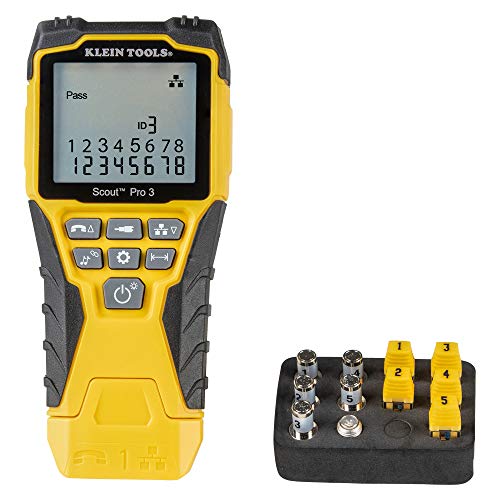
Klein Tools VDV501-851 Scout Pro 3 Tester Starter Set
$96.61Tests and identifies multiple runs at once with numbered remotes, which is what turns a sixteen camera install from a day of guessing into an afternoon.
Check price on AmazonPrices change often.
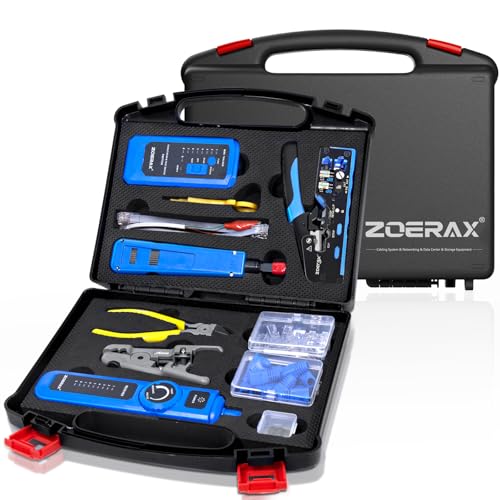
ZOERAX 14 in 1 Professional Network Tool Kit with Crimp Tool and Connectors
$64.99Crimper, punch down tool, stripper, tester and connectors together, which is everything a first camera install needs in one purchase.
Check price on AmazonPrices change often.

Cable Matters 200-Pack Nail-in Cable Clips, 7mm
$6.99Cable run tight to the soffit line is cable that does not flap, sag or get pulled down by ice.
Check price on AmazonPrices change often.
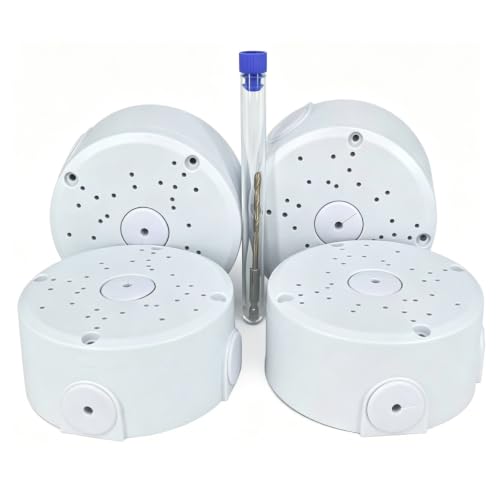
ABS Universal Junction Box for IP Camera Mount Bracket, 4 Pack
$9.99Four boxes for the price of one branded unit, which is the sensible buy when every camera on the house needs one.
Check price on AmazonPrices change often.

TRUE CABLE Cat6 Direct Burial Bulk Ethernet Cable, Unshielded, 1000ft, 23AWG Solid Bare Copper
$277.99Direct burial rated with a solid bare copper conductor at 23AWG, which is the thickest common gauge and therefore the least voltage drop over a long PoE run.
- Cable category
- Cat6
- Conductor gauge
- 23 AWG
- Conductor
- Solid bare copper
- Length
- 1000 ft
Prices change often.

APC BE425M UPS Battery Backup and Surge Protector for Small Electronics
$62.50The smallest unit here, adequate for a recorder and a router but not for a recorder plus a loaded PoE switch.
- Rating
- 425 VA
Check first:Not enough capacity to also carry a fully loaded PoE switch.
Check price on AmazonPrices change often.
Common questions
How often should I actually check recorded footage instead of just the live view?
Monthly is a reasonable minimum. A camera can show a working live view while its recording channel silently fails due to a full drive, a bad schedule setting, or a corrupted database, and the live view alone will never reveal that. Pull up footage from several days back on more than one camera to confirm the recording path is actually working.
Does a UPS need maintenance if it has never been used?
Yes. Lead-acid UPS batteries lose real capacity over a few years even if the unit has never had to run on battery power, since batteries degrade with age and not only with use. Test the UPS under the system's actual load at least once a year rather than assuming an untested battery still holds its rated capacity.
How often should outdoor cable runs be re-tested?
Once a year is a reasonable baseline. A run that passed its original test can develop a marginal connection over a year of thermal cycling and, outdoors, UV and moisture exposure at the connector. A proper cable tester catches a degrading run before it starts causing visible dropouts.
What is the cheapest maintenance task with the biggest payoff?
Checking actual recorded playback rather than just the live view. It costs nothing beyond a few minutes, requires no tools, and is the single check most likely to catch a system that looks fully functional but is not actually saving usable footage.
Should I recheck the PoE budget every time I add a camera?
Yes. Each new camera adds its full class allocation to the switch's required budget, and a switch that was comfortably within budget before an addition can be pushed over the edge by even one more camera, especially if that camera has a heater or strong IR that pushes it to a higher class in cold weather.
Get the system planning sheet
The camera count, storage and PoE budget worksheet, plus the wiring checklist, as one printable page.
Keep going
Before you point a camera at anything. Aim cameras at your own property and your own boundary, never into a neighbour's windows or across their garden. Cameras in bedrooms, bathrooms, or anywhere else a person reasonably expects privacy are a serious legal problem, and that includes guests, lodgers and anyone who works in your home. Audio is legally different from video, many US states require the consent of every party to a recorded conversation, and several recorders capture audio by default, so check your own state before you enable it. Some places require visible notice that recording is taking place, and landlords and homeowner associations often impose their own rules on top. This is researched general information and not legal advice, and the law varies by state and by country.
And once it is installed. Change every default password, keep the firmware updated, and be clear with yourself about where the footage goes: a cloud camera means a third party holds recordings of your home, while a local recorder keeps them in your house. That is a genuine buying consideration, not a technicality.
Put these checks on a calendar rather than relying on noticing a problem, since most of them fail silently until footage is actually needed.